ShotfoldShotfold

The whole page,
captured privately.

Shotfold grabs the entire web page — everything below the fold — in a single click. Save it as PNG, JPG, or PDF, crop it, or copy it to your clipboard. Nothing ever leaves your machine.

Free · No account · Works offline
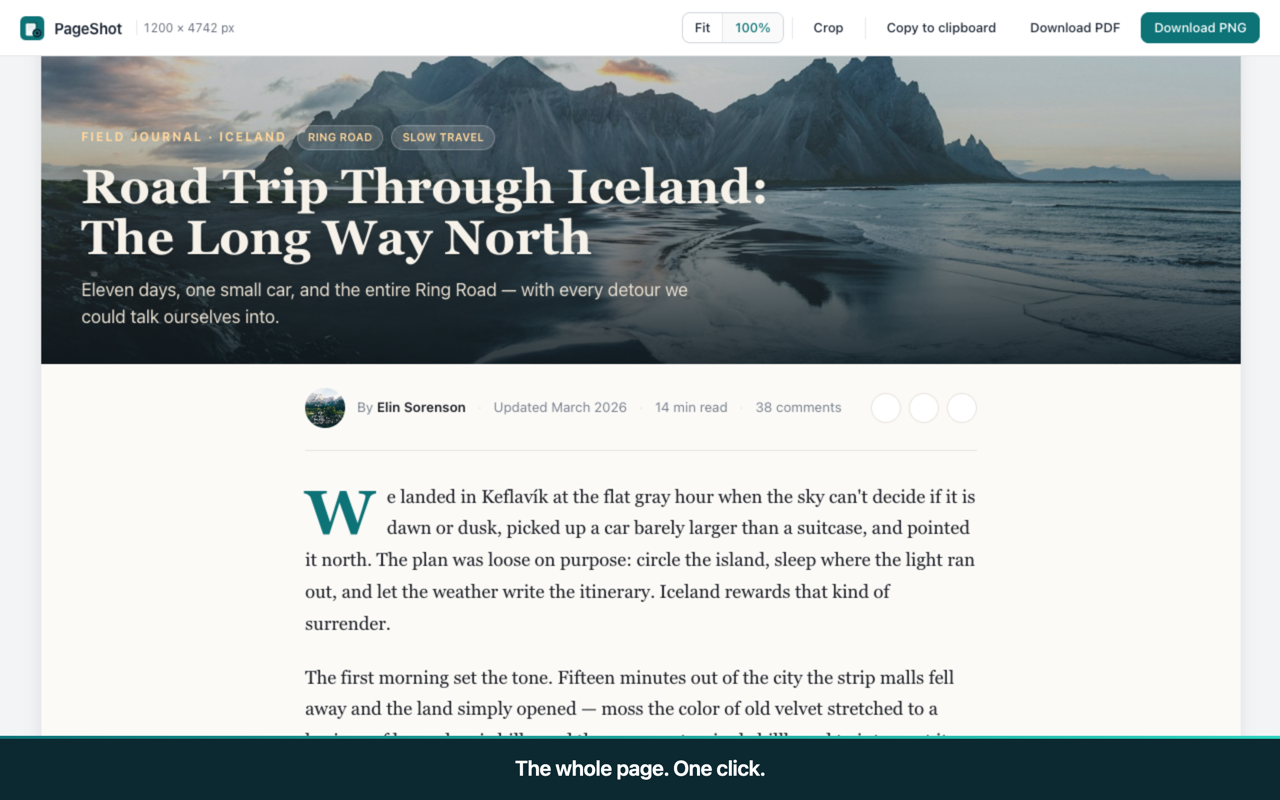
Shotfold result page showing a full-length article captured top to bottom

A 9,000-pixel-tall article, captured whole and stitched seamlessly.

One-click full-page capture PNG · JPG · PDF · Clipboard Crop before you save Keyboard shortcut & right-click 5 languages
One click, one image

One click captures everything

Long articles, endless documentation, tall dashboards — Shotfold scrolls the page for you and stitches every frame into one clean image. Fixed headers and sticky sidebars are hidden between frames, so they never repeat down your screenshot.

  • Handles pages tens of thousands of pixels tall
  • Waits for lazy-loaded images to appear
  • Sensible filename: domain-title-date
A full-page capture shown in the Shotfold result view
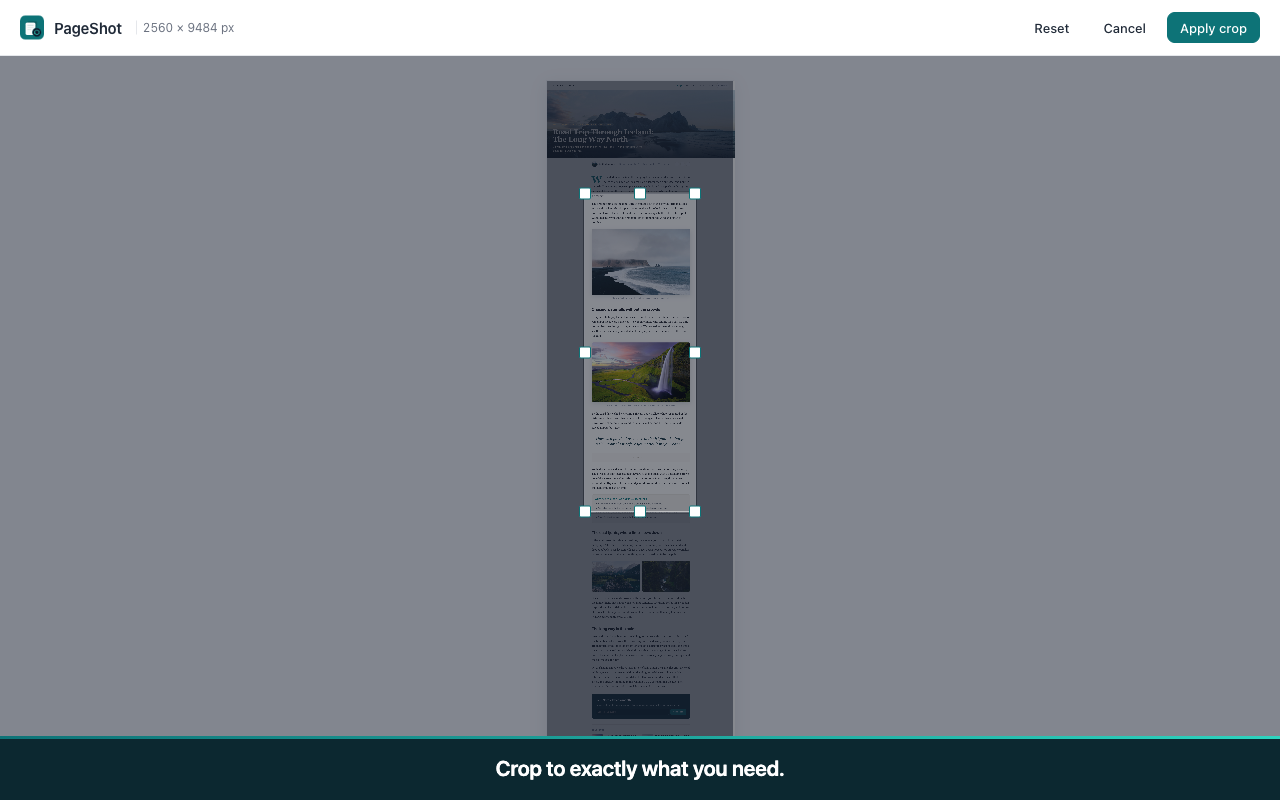
Shotfold crop tool with a selection box and handles over a capture
Trim without an editor

Crop before you export

Only need one section? Drag a selection right on the result page, nudge the handles, and apply. No round-trip to an image editor for a quick trim — the crop happens in-page and exports at full resolution.

  • Eight-handle selection box with a dimmed backdrop
  • Reset or cancel anytime — your capture stays intact
  • Export the crop as PNG, JPG, or PDF
Save it your way

PNG, PDF, or clipboard

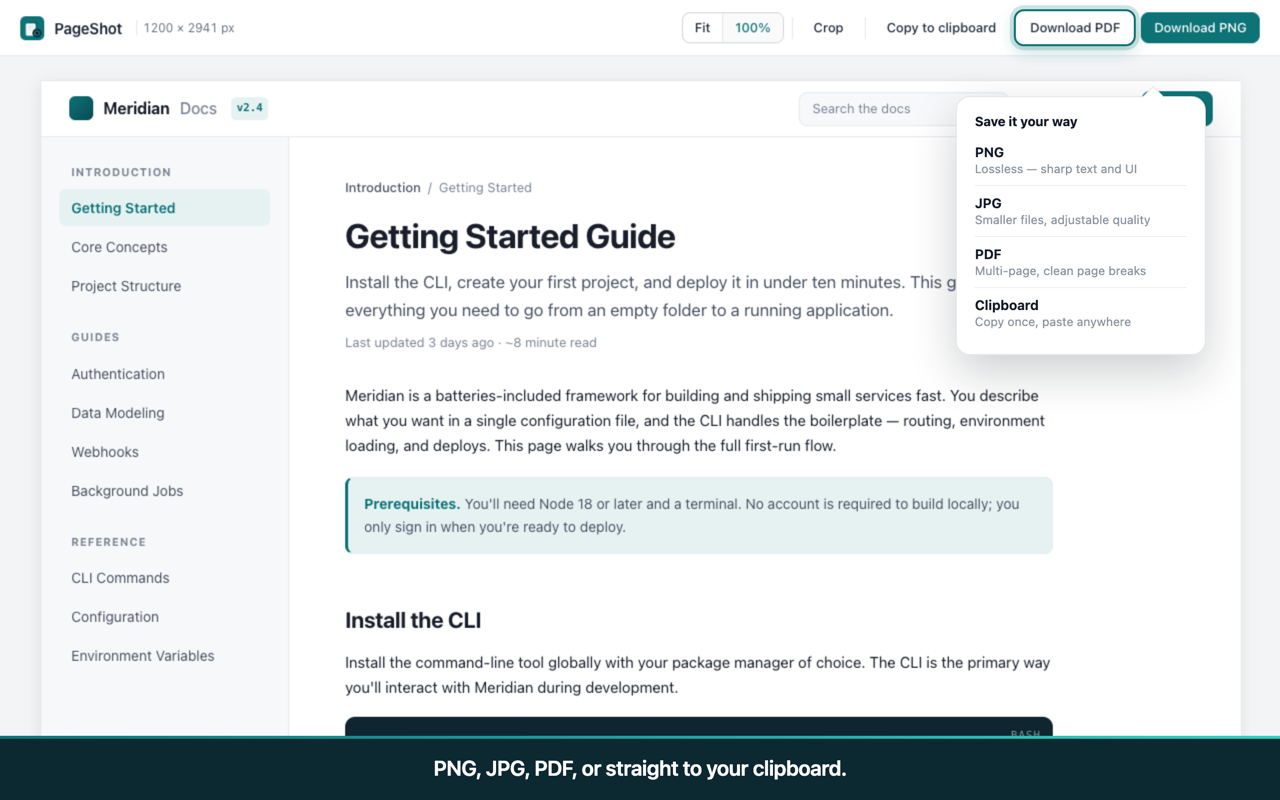
Pick the format that fits the moment. Lossless PNG for crisp text and UI, smaller JPG for sharing, a multi-page PDF for very tall captures, or copy straight to the clipboard and paste into Slack, Notion, or a doc.
  • Multi-page PDF with clean page breaks
  • Adjustable JPG quality in settings
  • One-click copy to clipboard
Shotfold export options: PNG, JPG, PDF, and copy to clipboard
Privacy, by design

Built for people who care about their data

Most screenshot extensions phone home. Shotfold doesn't — there is no server to phone. Every capture is processed locally and never transmitted anywhere.

No data collected

Not even anonymized. No analytics on what you capture, no page URLs recorded, no usage logs. Nothing about your browsing is ever stored or sent.

No account, no login

Install it and use it. There is no cloud, no dashboard, and no upsell wall gating the core feature. Your settings live only in your browser.

Works completely offline

Turn off your internet connection and everything still works — capture, crop, save. There is no server behind Shotfold and no way for your screenshots to go anywhere.

Frequently asked questions

Straight answers. If something's missing, the store listing has more.

Is Shotfold really free?
Yes. Full-page capture, PNG, JPG, PDF, crop, and clipboard are all free, with no watermark and no daily limit. There's no account to create and nothing to unlock before you can use the core feature.
Does it work on all websites?
Almost everywhere. Shotfold captures any normal web page — articles, docs, dashboards, forums. Chrome itself blocks screenshots of a few protected surfaces (the chrome:// settings pages and the Chrome Web Store), so those can't be captured by any extension. Extremely long infinite-scroll feeds are capped at 40 screens to keep captures sane, and heavy WebGL or canvas pages are best-effort.
What's the difference between PNG and PDF output?
A PNG is a single lossless image — best when you want a pixel-perfect screenshot of text or UI to drop into a message or doc. A PDF wraps the same capture into a paginated document with clean page breaks, which is the better choice for very tall pages you want to read, print, or archive. JPG sits between them: a smaller file for quick sharing, with adjustable quality.
Can I capture pages that require login?
Yes. Shotfold captures whatever is already on screen in your own logged-in session, exactly as you see it — a dashboard, an order confirmation, a private thread. Because everything is processed locally and never uploaded, capturing a logged-in page doesn't send your session or its contents anywhere.
How does it compare to GoFullPage?
Shotfold does the same core job — one-click full-page capture — with a calmer, faster result page and a stronger privacy stance: no account, no upgrade nag, and zero network requests. GoFullPage is a mature, well-known tool with a larger feature set built up over years. If you want a clean, private, no-friction capture, Shotfold is the lighter choice. We wrote an honest side-by-side comparison in our guides.
Why does it need the "scripting" permission?
To capture a full page, Shotfold has to work inside the tab you're capturing — measuring the page height, scrolling through it section by section, and hiding fixed headers between frames. Chrome requires the scripting permission for an extension to do that. It only happens on the tab where you actively start a capture, and nothing is sent anywhere.

Capture the whole page in one click.

Free, private, and ready in ten seconds.

Add Shotfold to Chrome